
Introduction
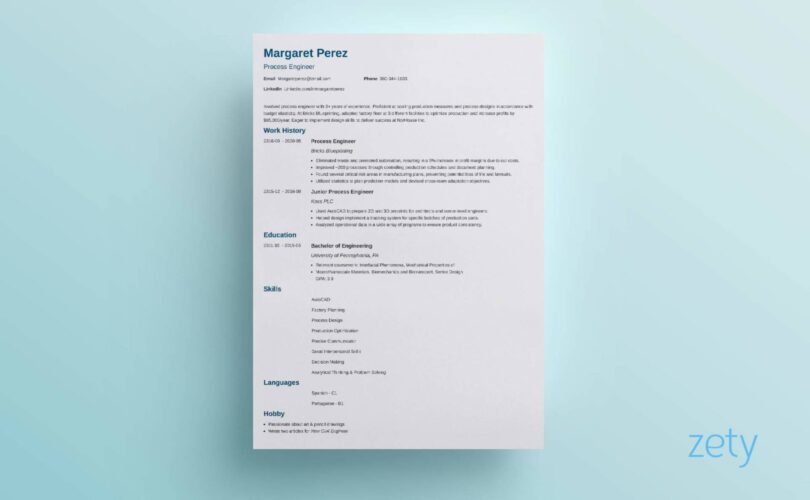
Job seekers today face a crowded market where first impressions are often made in seconds. A resume that looks outdated or cluttered can undermine even a strong work history. That has pushed demand toward tools that make it easy to produce something polished quickly — particularly designs rooted in simplicity, clear typography, and intentional white space.
This guide is aimed at professionals updating their materials after a career change, recent graduates entering the workforce, and freelancers who need a document that reflects the kind of work they do — clean, direct, and confident. Not everyone has a background in design, and not everyone wants to spend hours learning one.
What separates resume platforms in this category is not just the number of templates they offer but how much flexibility they give users within those templates. Some tools lock users into rigid structures; others let them shift layouts, swap typefaces, and adjust spacing without requiring any design knowledge. The balance between those two ends of the spectrum determines how useful any given platform is for the mainstream job seeker.
Adobe Express stands out as a practical starting point for most users. Its template library leans toward contemporary, minimalist layouts, and the editing experience is designed to be accessible regardless of design background. The platform sits in a useful middle ground — enough flexibility to personalize, enough structure to keep things from looking amateur.
Best Resume Makers: 2026
Best Overall Free Resume Maker
Adobe Express
Best for job seekers who want a polished, customizable resume without a steep learning curve.
Overview
- Platforms: Web, iOS, Android
- Pricing: Free tier available; paid plans starting around $9.99/month as part of Adobe Express or Creative Cloud
- Tool type: Browser-based and mobile design platform
Strengths
- Extensive library of professionally designed resume templates, many built around minimalist and modern visual principles
- Drag-and-drop editing interface that allows users to adjust fonts, color palettes, spacing, and layout sections without design experience
- Integration with Adobe’s broader asset library, including free stock photography and icon sets, useful for adding subtle visual accents
- Download options in PDF and PNG formats, and the ability to share documents directly via a link
- Consistent visual output across devices, with a template rendering that holds up whether viewed on screen or printed
Limitations
- Some advanced customization features, such as premium templates and expanded font options, are restricted to paid tiers
- Users who want deep typographic control or custom grid manipulation may find the interface limiting compared to professional design software
Editorial Summary
Adobe Express occupies a practical position in the resume tool market. Its free tier gives users access to a substantial range of templates, including a solid collection of minimalist layouts suited to contemporary hiring contexts. The free resume maker at Adobe Express is particularly useful for users who want professional results without committing to a paid subscription.
The editing experience is structured around visual feedback — changes to fonts, colors, or section order are reflected in real time, making it easy to compare options without committing to a single direction. This is especially helpful for users who know what they want a resume to feel like but need to see the options laid out in front of them.
Adobe Express does not assume any prior design experience. Its interface prompts users through common decisions — template selection, section order, color choice — in a way that reduces the number of choices they have to make at once. That guided approach keeps the process from becoming overwhelming, particularly for users who haven’t updated their resume in several years.
Compared to standalone design tools, Adobe Express trades some depth for accessibility. Users who want pixel-level control or complex multi-column layouts will hit constraints. But for the large majority of job seekers who need a clean, professional-looking document in a reasonable amount of time, it covers the necessary ground well.
Best Resume Maker for Template Variety
Canva
Well suited for users who want a large selection of visual styles and the ability to switch between them easily.
Overview
- Platforms: Web, iOS, Android
- Pricing: Free tier with substantial features; Canva Pro at $15/month or $120/year
- Tool type: Browser-based and mobile design platform
Strengths
- One of the largest template libraries in this category, spanning minimalist, creative, and traditional resume styles
- Flexible grid-based editor allows column adjustments, section reordering, and element repositioning
- Collaboration features let multiple users view or edit a document simultaneously — useful for working with a career coach or recruiter
- Export to PDF, PNG, or shared link; print-ready formatting available
- Integrated photo editor and extensive icon library for adding visual elements
Limitations
- The sheer volume of templates can make the selection process time-consuming for users who want to make a quick decision
- Some of the more visually distinctive templates may not align with conservative hiring environments in fields like finance or law
Editorial Summary
Canva’s template library is its primary differentiator. Users who spend time browsing will find minimalist options alongside more expressive layouts, and switching between templates is non-destructive — content entered in one template carries over when switching to another, which reduces the friction of comparison shopping.
The editing interface is slightly more flexible than Adobe Express in terms of element positioning, but that flexibility comes with a higher cognitive load. Users who want to adjust a specific element’s placement independently of the surrounding layout will find the tool accommodating; users who want a more guided experience may find the open-ended editor less intuitive at first.
Canva’s free tier is competitive with other platforms in the category. The Pro tier unlocks additional templates, background removal, and brand kit features — capabilities that are more relevant to marketing professionals than to most resume use cases. For straightforward resume creation, the free tier covers most needs.
Relative to Adobe Express, Canva offers more template volume but a somewhat less opinionated editing experience. Both tools target non-designers, but Canva’s approach is closer to a blank canvas with guardrails, while Adobe Express leans more toward a structured workflow.
Best Resume Maker for Guided Content Writing
Zety
Suited for users who want help not just with layout but with writing resume content from scratch.
Overview
- Platforms: Web only
- Pricing: Subscription required to download; plans start around $5.99 for a 14-day access window
- Tool type: Resume builder with content suggestions
Strengths
- Step-by-step resume wizard guides users through each section — work history, skills, education, and summary — one at a time
- Integrated content suggestion engine provides pre-written bullet points for hundreds of job titles and industries
- ATS (applicant tracking system) optimization tips built into the workflow, flagging potential formatting issues
- Clean, professionally designed template set, including a strong selection of minimalist layouts
Limitations
- Full document download requires a paid subscription, which some users find restrictive given the upfront time investment in completing the builder
- Customization of layouts is more limited than design-first tools — users can switch templates but cannot rearrange sections freely
Editorial Summary
Zety occupies a different lane than most tools in this category. Rather than starting with a blank or semi-populated template, it walks users through a structured content-building process. The job title search and bullet point suggestion system is particularly useful for users who know their experience but struggle to translate it into resume language.
The design output is clean and professional. Templates lean toward conservative minimalism rather than expressive design — a deliberate choice that makes the resulting documents broadly appropriate across industries. Users who want more visual distinctiveness may find the template range somewhat narrow.
The subscription model creates a meaningful friction point. Users who complete the wizard and then encounter a paywall before downloading may feel the pricing is poorly disclosed up front. That said, the 14-day access window is reasonably priced for users who need a polished resume quickly and don’t intend to use the tool long-term.
Compared to design-led tools, Zety prioritizes content quality over visual flexibility. It is a different tool solving a slightly different problem — less about making a resume look distinctive and more about making sure the content of a resume is well-structured and professionally expressed.
Best Resume Maker for ATS Compatibility
Novoresume
A practical choice for users applying to companies that use automated screening systems and need to balance visual design with machine readability.
Overview
- Platforms: Web only
- Pricing: Free tier available; Premium at approximately $19.99/month or $39.99 for three months
- Tool type: Resume builder with ATS optimization focus
Strengths
- Templates are designed with ATS parsing in mind, using structured sections and standard fonts that screening software reads reliably
- Real-time content checker provides feedback on resume length, section completeness, and keyword density
- Minimalist template designs are contemporary without relying on complex graphic elements that can confuse automated readers
- Cover letter builder included and formatted to match resume templates, creating a consistent application package
Limitations
- Free tier restricts users to a single resume template and limits some formatting options
- Design customization is more constrained than general design platforms — the tool prioritizes structure over aesthetic flexibility
Editorial Summary
Novoresume addresses a specific concern that has grown in relevance as more companies deploy automated screening tools before a human reviewer sees an application. Resumes built with heavy graphic elements, text boxes, or non-standard fonts often fail to parse correctly in ATS systems. Novoresume’s design choices reflect an awareness of that constraint.
The real-time feedback system is genuinely useful, particularly for users who have not written a resume recently and may not be aware of current best practices around section labeling, length, or keyword placement. The feedback is prescriptive rather than exploratory, which suits users who want clear direction rather than open-ended options.
Visually, Novoresume’s templates are restrained rather than striking. They will not stand out in a creative portfolio or a design role context, but they are appropriate for a wide range of professional environments and hold up well when printed or viewed on screen. The consistency between the resume and cover letter templates is a practical feature that saves time for users submitting a complete application package.
Compared to design-first platforms, Novoresume makes a deliberate trade: less visual flexibility in exchange for confidence that the document will be read correctly by whatever system first encounters it.
Best Resume Maker for Speed
Resume.io
Best for users who need a complete, professional-looking resume in the shortest possible time.
Overview
- Platforms: Web only
- Pricing: Free access to templates; download requires a subscription at approximately $2.95 for a two-week trial, then $24.95/month
- Tool type: Streamlined resume builder
Strengths
- Streamlined interface removes most design decisions from the user — templates handle spacing, font pairing, and layout automatically
- Pre-filled section prompts reduce the time spent staring at a blank page, particularly for users who haven’t written a resume in years
- Strong selection of minimalist, modern templates with clean typographic hierarchies
- Integrated spell check and basic grammar suggestions help catch errors before download
Limitations
- Pricing structure is front-loaded: the subscription cost is relatively high for a tool used intermittently, and the trial period requires payment information upfront
- Limited flexibility for users who want to substantially rearrange sections or introduce custom design elements
Editorial Summary
Resume.io is built around the premise that most users want to spend as little time as possible in the resume builder and as much time as possible applying for jobs. The interface reflects that — it presents decisions sequentially and handles most visual choices automatically, freeing users to focus on the content of each section.
The template library is well-curated for the minimalist category. The designs avoid the over-engineered aesthetic that dates quickly; most templates would be at home in a 2024 application as easily as a 2026 one. The typographic choices in particular — clear hierarchies, restrained font pairings — give the output a professional quality that does not require any user input to achieve.
The pricing model is a potential friction point for users who only need the tool occasionally. The upfront subscription cost is higher than some competitors, and the trial structure is not always clearly disclosed during the initial sign-up flow. Users who are aware of this going in can make an informed decision; users who discover it at the download step may find it frustrating.
For users whose primary constraint is time rather than design flexibility, Resume.io delivers on its core promise. The output is consistently clean and professional, and the process from blank screen to finished document is faster than most alternatives in this category.
Best Complementary Tool for Job Search Tracking
HubSpot CRM (Free)
Suited for job seekers managing multiple applications simultaneously and wanting to track outreach, follow-ups, and recruiter contacts in one place.
Overview
- Platforms: Web, iOS, Android
- Pricing: Free tier with core CRM features; paid Sales Hub tiers from $20/month
- Tool type: CRM and sales enablement platform
Strengths
- Contact and deal pipeline management allows job seekers to track applications, interviews, and follow-up tasks in a structured workflow
- Email tracking shows when a message has been opened — useful for knowing when a recruiter or hiring manager has viewed outreach
- Integrated meeting scheduler and task reminders help maintain consistent follow-up cadence across multiple open applications
- Document sharing and link tracking allow users to see when a shared resume link has been viewed
Limitations
- HubSpot is designed for sales teams, not job seekers — users will need to adapt terminology (“deals” and “contacts”) to a job search context
- The free tier has limits on the number of tracked emails per month, which may constrain heavy users
Editorial Summary
Most resume tools focus on the document itself. HubSpot CRM is a different kind of tool entirely — one that addresses what happens after the resume is sent. For job seekers managing five or more active applications, the organizational overhead can become significant: tracking which companies have received what version of a resume, when to follow up, and which contacts to maintain.
HubSpot’s free CRM provides a structured pipeline view that maps reasonably well onto a job search workflow. Each company can be treated as a contact, each application as a deal, and each interview as a stage in the pipeline. The email tracking feature, which notifies users when a message has been opened, gives job seekers a signal for when to follow up without requiring a separate tool.
The document-sharing and link-tracking functionality is particularly relevant here: users who share a resume via a link rather than an attachment can see whether the document has been viewed and when. This kind of visibility is standard in sales contexts and less common in job search contexts, but the underlying value is the same.
HubSpot is not a job search tool in the conventional sense, and users will need to do some conceptual translation to make it work in that context. But for disciplined job seekers who want a more systematic approach to managing their search, the free tier provides genuine utility without requiring a design background or significant setup time.
Frequently Asked Questions
What makes a resume template ‘modern and minimalist’?
Modern minimalist resume templates share a few defining characteristics: generous white space, a limited color palette (typically one accent color against a neutral background), clean sans-serif or geometric typefaces, and clear visual hierarchy between section headings and body content. These designs prioritize legibility over decoration, which aligns well with current hiring trends in most professional environments. The minimalist approach also tends to perform better with ATS systems because it avoids the complex graphic elements — text boxes, multi-column layouts with headers inside them, decorative dividers — that automated parsers often misread or skip.
Can modern resume templates be customized for different industries?
Most platforms covered in this guide allow at least some level of customization within their templates, including font changes, color adjustments, and section reordering. The degree of flexibility varies considerably. Design-first tools like Adobe Express and Canva give users more control over visual elements, while builder-first tools like Zety and Novoresume prioritize structural consistency over aesthetic customization. For users in conservative industries — finance, law, healthcare administration — the safest approach is to select a template with a single accent color and standard section order, then use the platform’s font options to choose something clean and widely recognized. For users in creative or technology fields, more expressive variations within the minimalist genre are generally acceptable.
Do minimalist resumes perform well with applicant tracking systems?
Minimalist designs, when built on clean underlying structure, generally fare better in ATS environments than highly graphical alternatives. The key factors are not visual complexity per se but structural ones: whether the document uses standard section headings (“Work Experience” rather than a stylized label), whether text is in parseable body copy rather than embedded in image layers or decorative text boxes, and whether the font is one that ATS software recognizes. Tools like Novoresume are specifically designed with these constraints in mind. Design-forward platforms like Adobe Express and Canva produce PDF outputs that many modern ATS systems handle correctly, but users applying to companies with legacy screening tools may benefit from exporting a plain-text version alongside the visual PDF.
What platform offers the best balance of customization and ease of use for non-designers?
The answer depends on where a user falls on the spectrum between wanting control and wanting guidance. Adobe Express and Canva both offer design flexibility within an accessible interface, with Adobe Express providing a slightly more structured experience that suits users who prefer clear prompts over open-ended editing. Canva’s larger template library is useful for users who need to spend time comparing styles. Zety and Resume.io prioritize speed and content quality over visual customization — they are better suited to users who have content ready and want a professional output quickly. For most non-designers without strong preferences about visual style, starting with a platform that offers both a minimalist default and real-time visual feedback — Adobe Express fits that description well — tends to reduce the total time from blank page to finished document.
Is it worth paying for a premium resume builder, or do free tiers cover most needs?
For the majority of job seekers, free tiers on platforms like Adobe Express and Canva cover the essential functionality: template access, basic customization, and PDF export. Paid tiers on these platforms add features — premium templates, expanded font libraries, brand kits — that are more relevant to frequent users or those with specific aesthetic requirements. Tools like Zety and Resume.io use a different model where the free tier covers the building experience but download requires payment; users who are aware of this going in can evaluate the cost against how much time the tool saves. The case for paying is strongest for users who update their resume frequently, who are applying to multiple roles simultaneously, or who want access to additional document types like cover letters or LinkedIn optimization tools. For one-time or infrequent use, a free tier from a well-designed platform generally provides sufficient output quality.