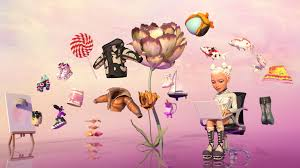

In the digital age, personalizing online presence has become essential for creators, educators, and businesses alike. Adobe’s avatar maker stands out as a powerful tool that allows users to craft engaging, animated characters effortlessly. This innovative feature, integrated within Adobe’s suite of creative software, empowers anyone to bring ideas to life without needing advanced skills. Whether you’re producing educational content, social media videos, or marketing materials, the avatar maker simplifies the process of creating lifelike avatars that can speak and animate based on your input.
Adobe has long been a leader in creative tools, and their avatar maker exemplifies this commitment to accessibility and innovation. By leveraging AI and user-friendly interfaces, it transforms simple audio recordings into dynamic animations. This article delves into the intricacies of Adobe’s avatar maker, highlighting its features, usage, and benefits, all while focusing exclusively on Adobe’s ecosystem.
Understanding Avatar Maker
At its core, Adobe’s avatar maker is a free online tool available through Adobe Express, designed to help users generate animated avatars quickly. It caters to beginners and professionals by offering a straightforward way to customize characters and animate them using voiceovers. Unlike traditional animation software that requires extensive knowledge of keyframes and timelines, this avatar maker uses intuitive steps to produce results in minutes.
The tool draws from Adobe’s broader AI capabilities, such as those powered by Adobe Firefly, to enhance character creation. For instance, users can experiment with generative AI to design custom avatars that match specific styles or personalities. This integration ensures that the avatars are not just static images but vibrant, expressive entities ready for video production. Adobe’s focus on safety and ease-of-use makes the avatar maker ideal for a wide range of applications, from personal projects to professional presentations.
One key aspect is its emphasis on text-to-avatar functionality, where written scripts are converted into spoken videos featuring lifelike avatars. This feature is particularly useful for those who prefer not to appear on camera but still want to deliver messages with a human touch.
Key Features of the Avatar Maker
Adobe’s avatar maker boasts an array of features that set it apart in the realm of digital creation. First and foremost, it offers a vast library of professionally designed templates. Users can choose from nearly 100 characters, including people, animals, emojis, and even whimsical objects like tacos or crayons. This diversity allows for customization based on the project’s theme, ensuring the avatar aligns with the intended audience.
Another standout feature is the audio integration. You can upload an existing audio file or record your voice directly in the tool. The avatar maker then synchronizes the character’s movements—such as lip-syncing, facial expressions, and gestures—with the audio, creating a seamless animated video. Powered by Adobe Sensei, this automation eliminates the need for manual adjustments, making animation accessible to all.
For more advanced users, the avatar maker connects with Adobe Character Animator’s Puppet Maker. This allows for deeper customization, where you select styles, skin tones, clothing, and features with just a few clicks. The resulting puppet can be optimized for real-time animation using your webcam and microphone, adding interactivity to live streams or recordings.
Additionally, Adobe Firefly’s AI character generator enhances the avatar maker by enabling users to create detailed characters from text prompts, reference images, or style options. This is perfect for generating fantasy avatars or stylized portraits, pushing creative boundaries without requiring artistic expertise.
How to Use Avatar Maker Step-by-Step
Getting started with Adobe’s avatar maker is remarkably simple, requiring no prior animation experience. Begin by navigating to the Adobe Express website and accessing the free avatar creator tool. Once there, select a character from the available templates. Options range from cute animated styles to more realistic figures, catering to various needs.
Next, prepare your audio. You can record a voiceover directly in the browser or upload a pre-recorded file. The avatar maker processes this input using AI to animate the character accordingly. For text-based creation, integrate with Firefly’s Text to Avatar feature: input your script, choose an avatar, select a voice and background, and generate the video.
After animation, customize further by adjusting expressions or adding effects within Adobe Express. Finally, export the video for sharing on social media, websites, or presentations. The entire process can be completed on desktop or mobile, ensuring flexibility.
For those seeking more control, transition to Adobe Character Animator. Use Puppet Maker to build a custom avatar, then import it back into Express for animation. This workflow highlights Adobe’s interconnected tools, streamlining creation from concept to final output.
Benefits and Applications of the Avatar Maker
The avatar maker offers numerous benefits, starting with its cost-effectiveness—it’s free to use, democratizing animation for students, teachers, and small businesses. It saves time by automating complex tasks, allowing creators to focus on content rather than technical details.
In education, teachers can use the avatar maker to produce engaging lessons where characters explain concepts, increasing student retention. For businesses, it’s a boon for marketing: create branded avatars that deliver presentations or product demos with personality. Content creators benefit from adding humor or context to videos, boosting viewer engagement and production value.
Moreover, the tool promotes inclusivity by offering diverse avatar options, representing various ethnicities, ages, and styles. Its AI-driven safety features ensure generated content is appropriate and high-quality.
Conclusion:
Adobe’s avatar maker represents a significant leap in making animation accessible and fun. By combining ease-of-use with powerful AI, it enables users to create professional-grade avatars without the steep learning curve of traditional software. Whether you’re animating for personal expression or professional purposes, this tool unlocks endless possibilities within Adobe’s creative universe.
As digital communication evolves, tools like the avatar maker will continue to play a pivotal role in how we connect and create. Dive into Adobe Express today and discover how simple it is to bring your ideas to animated life.